On the train, at work, or even in your own living room… Have you ever been looking at something on your phone that you “really don’t want anyone else to see”, only to have a family member, coworker, or partner suddenly walk behind you? That split second of panic is all too familiar.
If you searched for “app to hide my phone screen” and ended up here, you’ve probably had a close call before — or you’re trying to avoid one right now. 😄
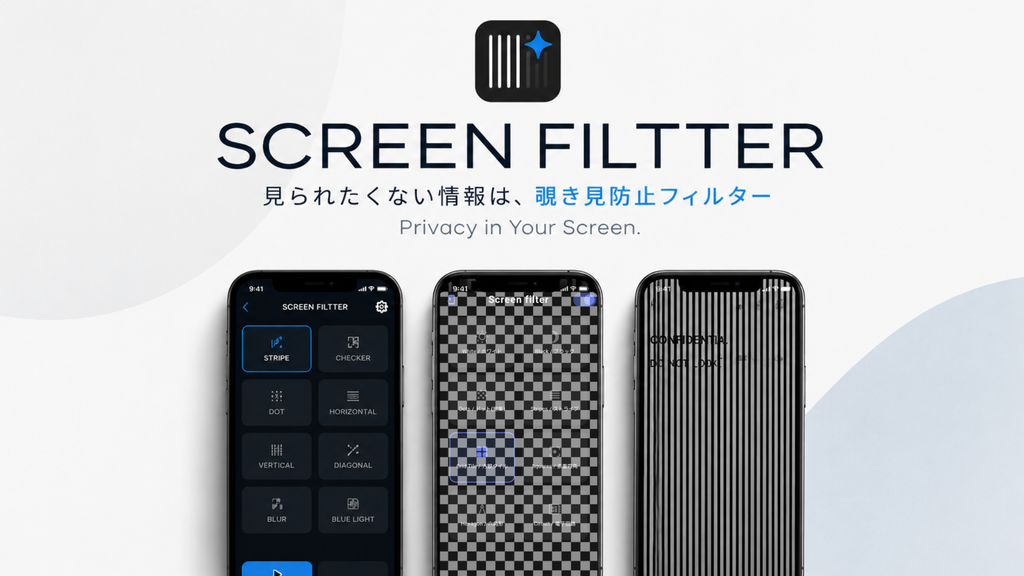
That’s where Screen-Filter comes in. This powerful privacy protection app features a clever emergency function designed to save you when someone suddenly approaches.
Save Yourself in an Instant with Emergency Camouflage
Trying to rush back to the home screen, accidentally tapping the wrong link, or frantically pressing the power button to turn off the display? It’s time to leave those awkward hiding techniques behind.
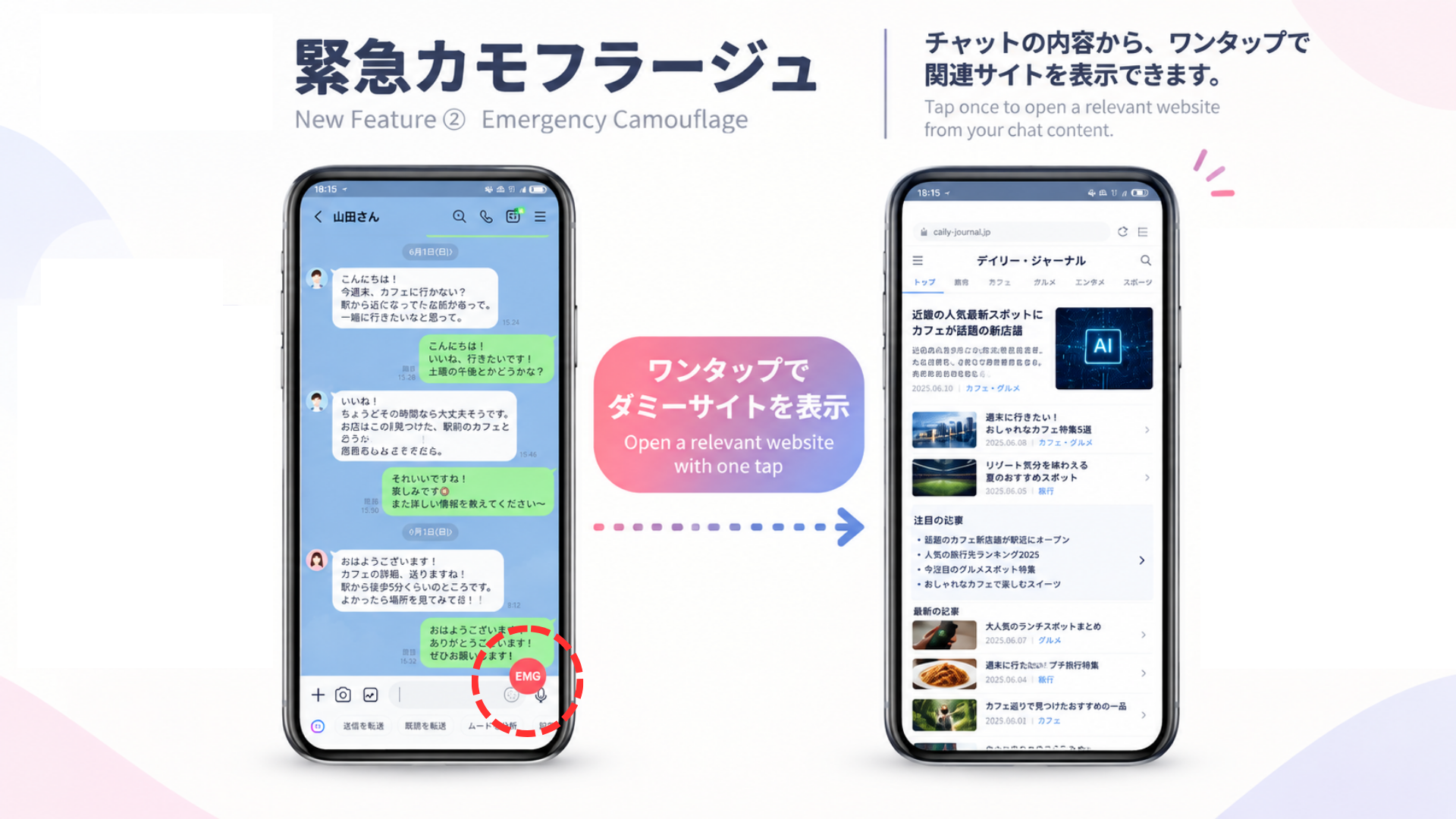
With the newly added “Emergency Camouflage” (Panic Button) feature in Screen-Filter, you can simply tap an emergency button placed on your screen. The entire screen instantly switches to a dummy image, such as a serious-looking news website.
Once the danger has passed, simply double-tap the screen to instantly return to the original screen. You can get back to what you were doing without anyone realizing that anything happened.
Hide Only Part of Your Screen with a Spy-Level Spot Filter
If you don’t want to hide your entire screen and still want to keep using your phone, try combining the “Dummy Website Filter + Spot Filter” features.
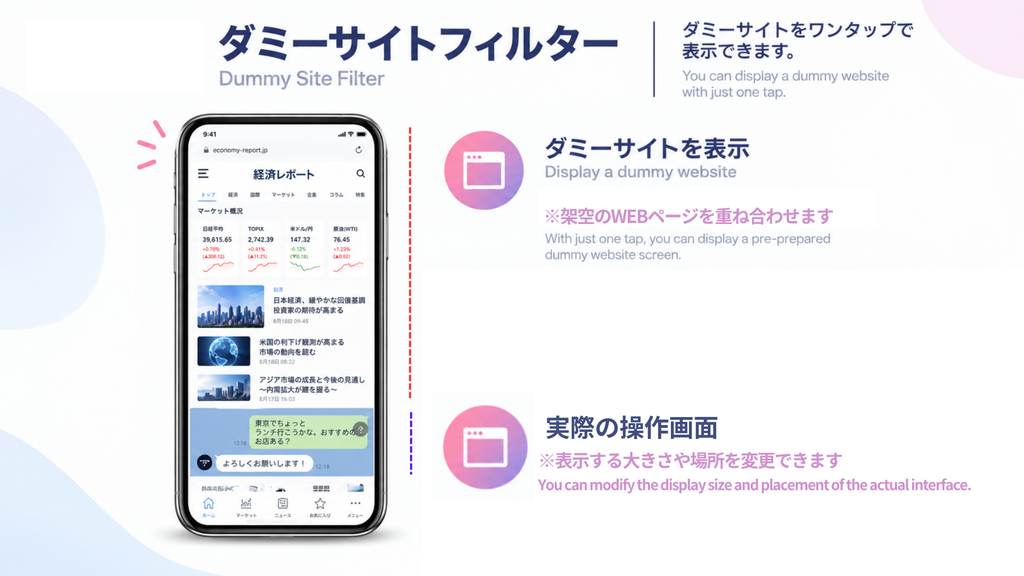
You can cover most of your screen with a fake image of financial news or stock charts, while leaving only a small “spot” of your choice visible. Through that small opening, you can secretly continue interacting with the screen underneath.
From the outside, it simply looks like you’re seriously reading the news. In reality, you can use the small visible area to check social media or read private messages. It’s practically a spy movie-style way to keep your screen private.
Why Is Screen-Filter the Perfect Choice for Privacy?
There are plenty of privacy and screen-filter apps available, but Screen-Filter has several advantages that make it especially useful when you want to keep your screen private.
- No Ads at All: There’s no risk of a full-screen advertisement suddenly appearing at exactly the wrong moment.
- Completely Offline: The app does not require any internet communication permissions, so there is no risk of the screen data you are viewing being sent externally.
- Quick Access: You can turn the filter ON or OFF with a single tap from the notification panel.
Conclusion: Stop Nervously Hiding Your Phone Screen
Why not free yourself from the stress of desperately trying to hide your screen whenever someone comes near?
For less than the price of a cup of coffee, you can get the peace of mind that comes with knowing you have a quick way to protect your screen. Give Screen-Filter a try and add an extra layer of privacy to your smartphone.

コメント